

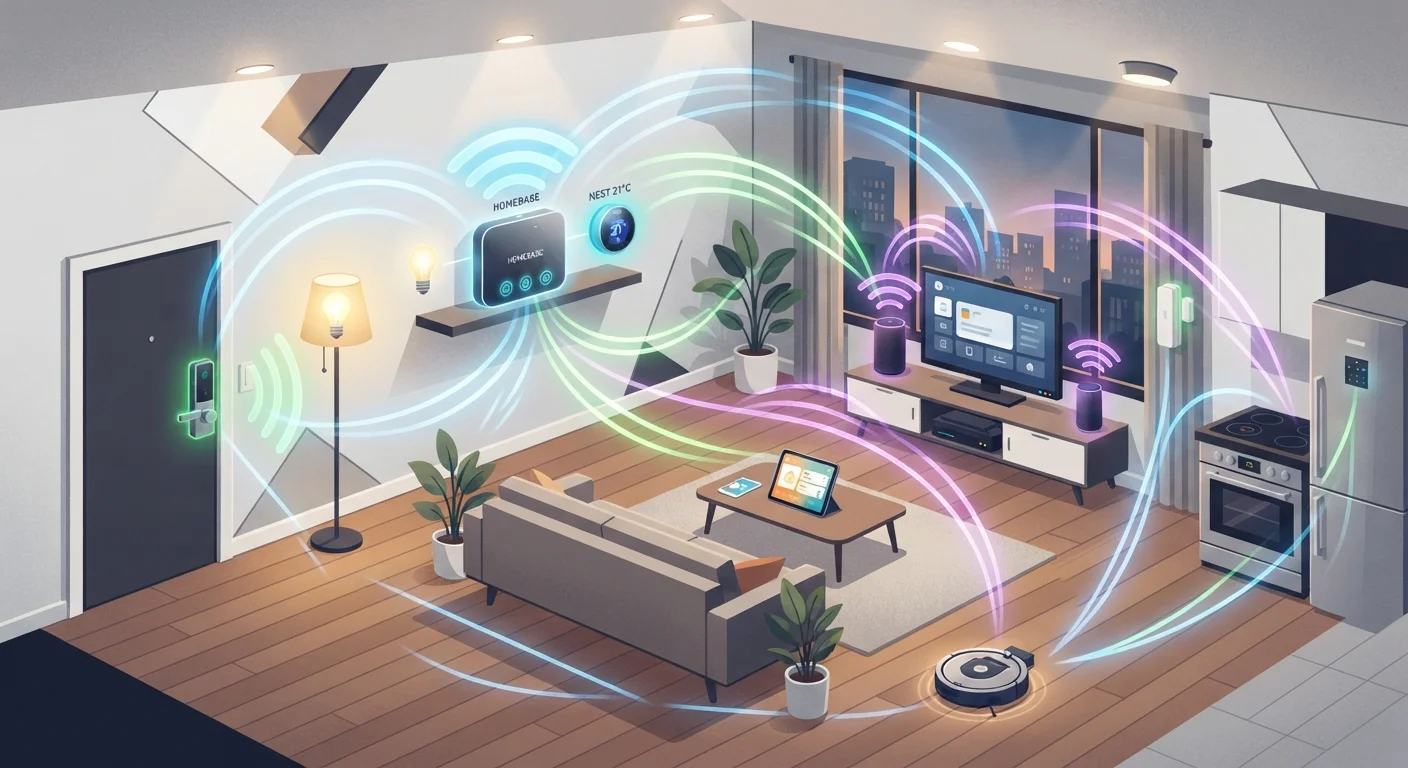
Why Smart Devices Don't All Speak the Same Language
Walk into any hardware store and you'll find smart bulbs, locks, thermostats, and sensors made by dozens of different manufacturers - each potentially using a different wireless protocol to communicate. Wi-Fi is the one most consumers recognize, but it's far from the only option, and in many scenarios it isn't even the best one.
A wireless protocol is simply the set of rules devices use to send and receive data without a physical cable. Different protocols make different trade-offs between range, power consumption, network capacity, and ease of setup. Understanding those trade-offs helps you choose devices that will actually work well together in your home - rather than discovering incompatibility issues after the fact.
For a broader look at how these devices interact once they're connected, see our Smart Home 101 guide.
The Four Major Protocols: What Each One Does
Wi-Fi
Wi-Fi connects smart devices directly to your home router, using the same 2.4 GHz or 5 GHz bands your phones and laptops use. Its biggest advantages are speed and zero need for a separate hub - plug in a Wi-Fi smart plug and it's on your network immediately. The downsides are real, though: Wi-Fi radios consume more power (a problem for battery-operated sensors), and a large number of Wi-Fi devices can strain your router. If your network already feels slow, adding dozens of smart gadgets can worsen congestion. Our article on setting up a network for smart devices covers how to address this.
Zigbee
Zigbee operates on the 2.4 GHz band but uses far less power than Wi-Fi, making it well-suited for battery-operated devices like door sensors and motion detectors. Zigbee devices form a mesh network - each powered device can relay signals from others, extending range organically. A hub or smart speaker that supports Zigbee is required. Most Zigbee devices follow a common standard, though slight implementation differences between manufacturers can occasionally cause pairing friction.
Z-Wave
Z-Wave runs on a sub-gigahertz frequency (around 908 MHz in the U.S.), which gives it a slight edge in wall-penetrating range compared to 2.4 GHz protocols and eliminates interference from Wi-Fi and Zigbee devices. Like Zigbee, Z-Wave builds a mesh network and needs a compatible hub. It has a stricter certification process, which generally means strong interoperability between Z-Wave devices from different brands. Device variety is somewhat narrower than Zigbee. For a direct comparison, see our Zigbee vs. Z-Wave breakdown.
Thread
Thread is a newer protocol designed specifically to address the shortcomings of older smart home standards. It runs on the 2.4 GHz band, forms a mesh network, and - crucially - uses IP-based addressing, meaning devices can communicate directly over the internet without proprietary cloud intermediaries. Thread underlies much of the Matter smart home standard, which major platforms adopted to improve cross-brand compatibility. Thread devices still require a Thread border router (often built into modern smart speakers or hubs) to connect to the broader internet.
Wireless protocol
A standardized set of rules that governs how devices transmit and receive data wirelessly. Different protocols prioritize different trade-offs, such as speed, range, or power consumption.
Mesh network
A network topology where each device can relay data on behalf of others, rather than requiring all signals to travel back to a single central point. This extends range and adds redundancy.
Hub
A central device that bridges smart home protocols - such as Zigbee or Z-Wave - to your home's IP network and the internet. Without a compatible hub, many non-Wi-Fi devices cannot connect to your router.
Matter
An open connectivity standard backed by major technology companies that aims to make smart home devices from different brands work together reliably. Thread is one of the wireless transports Matter uses.
Sub-GHz frequency
A radio frequency below 1 GHz, such as the 908 MHz band used by Z-Wave in the United States. Sub-GHz signals generally travel farther and pass through walls more easily than 2.4 GHz signals.
Thread border router
A device - often a smart speaker or dedicated hub - that connects a Thread mesh network to the broader internet, acting as a gateway between the two.
Choosing the Right Protocol for Your Home
No single protocol wins in every situation. Your decision should depend on how many devices you plan to install, whether those devices are battery-powered, how reliably your existing Wi-Fi covers your home, and which hubs or platforms you already own.
- Small setups, simple needs: A handful of Wi-Fi devices works fine and avoids hub complexity.
- Battery-operated sensors throughout the home: Zigbee or Z-Wave will outlast Wi-Fi devices on a single charge by a wide margin.
- Large homes or thick walls: Z-Wave's sub-GHz frequency can be an advantage; a Zigbee or Thread mesh also helps by routing signals around obstacles.
- Future-proofing for cross-brand compatibility: Thread and Matter-certified devices are designed with long-term interoperability in mind.
Mesh Wi-Fi systems can relieve some Wi-Fi congestion and coverage concerns - our mesh vs. traditional router comparison explains when the upgrade makes sense. For general signal improvement tips, see getting the most reliable signal throughout your home.
In practice, many households end up using two or even three protocols simultaneously - a Wi-Fi thermostat here, a Zigbee bulb mesh there, Z-Wave door locks elsewhere. A capable hub can tie these together under one app, making the underlying protocol largely invisible to everyday use.