

Key Takeaways
- Most renter-friendly smart devices connect via Wi-Fi or Bluetooth and require no hardwiring or permanent installation.
- Plug-in and battery-powered devices are typically the safest choices for avoiding lease violations.
- Smart plugs, bulbs, and portable speakers can be taken with you when you move.
- Always check your lease and ask your landlord before replacing hardware like door locks or thermostats.
- Building a simple ecosystem with a few compatible devices can still deliver meaningful automation benefits.
Why Renters Face a Different Set of Rules
Owning your home means you can drill, wire, and hardcode devices into your walls. Renting is a different story. Most leases prohibit permanent alterations, and replacing fixtures like thermostats or door locks often requires landlord approval - or returns the unit to its original state at move-out, at your expense.
That doesn't mean smart home technology is off-limits. A growing category of devices is designed precisely for no-drill, no-wire, no-permission setups. If you're new to the space, our Smart Home 101 primer explains how connected devices communicate before you spend a dollar. And if you've heard that smart home tech is too complicated for renters, common myths hold a lot of people back from a setup that's actually quite manageable.
Below are the device categories that work reliably in rental situations - without touching a single wire.
Smart Plugs
A smart plug is the simplest entry point into home automation. It inserts into any standard outlet and lets you control whatever is plugged into it - a lamp, a fan, a coffee maker - through an app or voice command. No tools, no installation, no lease implications.
Smart plugs can also monitor energy usage, which helps identify which appliances are drawing the most power. They're universally compatible with standard outlets and work with most major app ecosystems. When you move, you unplug it and take it with you.
Smart plugs turn any standard outlet into a remotely controlled connection point - no installation needed.
Smart Light Bulbs
Swapping a standard bulb for a smart bulb takes about 30 seconds and leaves the fixture itself completely untouched. Smart bulbs connect via Wi-Fi or Bluetooth and can be dimmed, color-shifted, or scheduled through an app - without touching the wall switch.
The one practical concern: if a roommate or guest flips the wall switch off, the bulb loses power and drops off the app. Keeping switches in the "on" position and using app or voice control exclusively solves this. When you leave, reinstall the original bulbs and take the smart ones with you.
Smart bulbs require no wiring - just screw them in and connect them to your app.
Portable Smart Speakers and Voice Assistants
A countertop voice assistant is the most visible piece of a smart home setup and requires nothing more than a power outlet. These devices serve as the control hub for other smart gadgets, letting you adjust lights, set timers, check routines, and more - entirely by voice.
They're inherently portable, and most rental units have no restrictions on them whatsoever. Pairing one with smart plugs and bulbs creates a cohesive setup that genuinely reduces friction in daily routines - all without touching the unit's infrastructure.
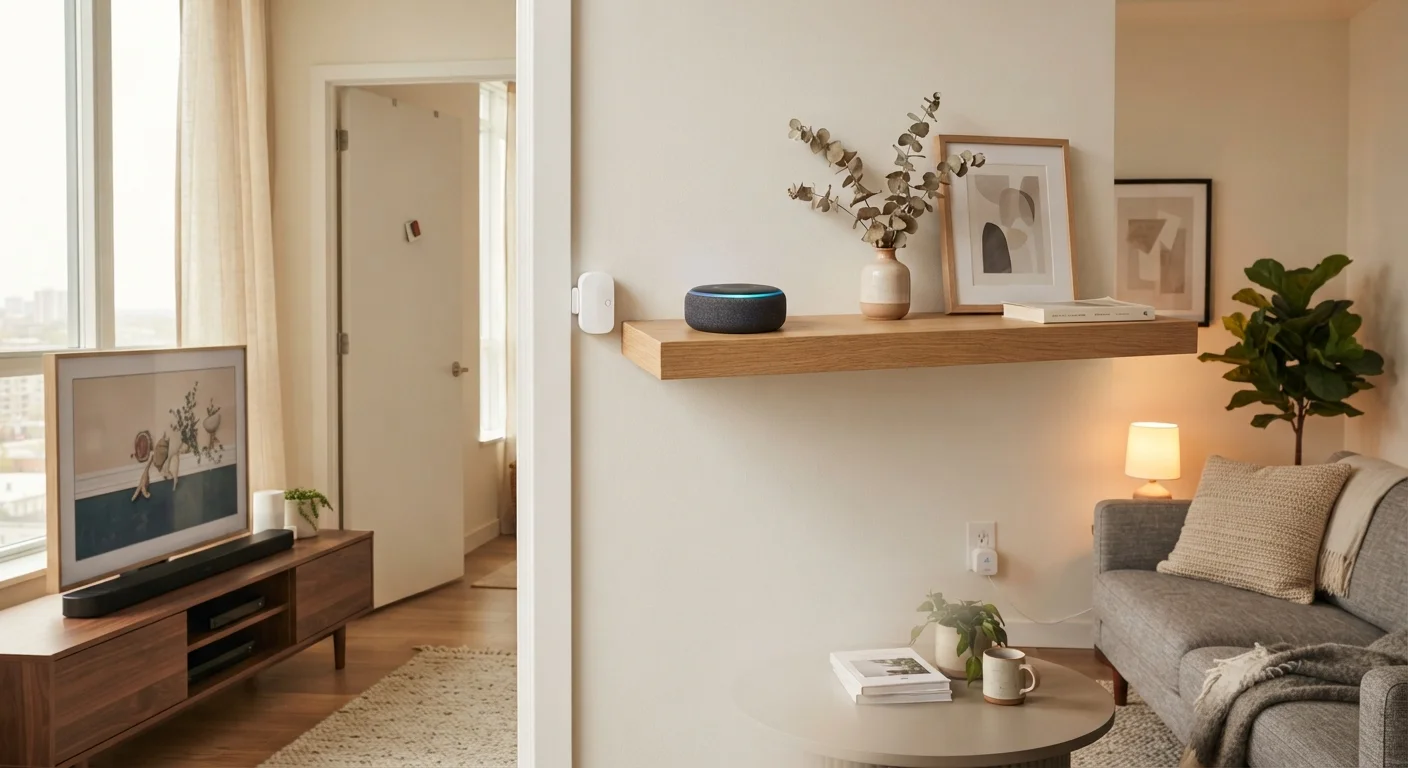
A portable voice assistant can act as the control center for your entire renter-friendly smart home setup.
Wireless Contact Sensors and Motion Detectors
Battery-powered contact sensors and motion detectors attach to door frames, windows, and walls using adhesive strips - no drilling required. They detect when doors or windows open, or when movement occurs in a room, and can trigger alerts or other automations through an app.
These devices are particularly useful for renters who want basic security awareness without a monitored system or hardwired cameras. They peel off cleanly when you leave. Check whether the adhesive is rated for your wall surface before applying, especially on painted drywall.
Adhesive-mounted sensors deliver meaningful security awareness without a single screw or permit.
Smart Thermostats - With Landlord Permission
Smart thermostats are in a different category from the others on this list because they replace an existing hardwired device. Installing one without landlord approval could violate your lease and create liability if something goes wrong during installation.
That said, many landlords will agree to a smart thermostat swap - especially if you keep the original unit to reinstall before move-out. Some thermostats are designed to be user-installable without an electrician, though you should verify your unit's wiring compatibility. If your building falls under shared home systems - central HVAC controlled by the building - individual thermostat replacement may not be possible at all.
Smart thermostats require a conversation with your landlord - always get permission before replacing hardwired fixtures.
Smart Lock Adapters and Portable Locks
Full smart lock replacement is another modification that typically requires landlord approval, and some lease agreements prohibit it outright. However, a category of renter-specific smart lock adapters attaches to the interior side of a standard deadbolt without replacing the lock itself - the exterior keyway remains unchanged, and the landlord retains their key access.
These adapters use your existing deadbolt's thumb turn and add Bluetooth or Wi-Fi control from inside. They're removable without damaging the lock. Read your lease carefully before installing even these - some landlords consider any lock modification an alteration requiring approval.
Interior deadbolt adapters add smart access without replacing the lock or requiring a new key for your landlord.
Building a Renter-Friendly Setup That Actually Works
The secret to a functional renter setup is starting with portable, plug-in, or battery-operated devices and letting them talk to each other through a free app or voice assistant. You don't need a hub, and you don't need to own the place.
Start Small and Expand Gradually
Resist the urge to outfit every room at once. Start with one or two smart plugs and a bulb, get comfortable with the app, then add devices that solve a specific problem you actually have. A focused, compatible set of devices is more useful than a large collection that doesn't work together reliably.
Once you have a few devices running, grouping them into routines makes everything more useful. For example, a single "good night" command can turn off smart plugs, dim lights, and lock a smart door adapter. Routines and scenes are how automation apps organize these actions - and they're easier to set up than most people expect.
Keep security in mind as your device count grows. Each connected gadget is a potential entry point on your home network. Locking down your connected devices doesn't require technical expertise - a few straightforward steps go a long way. It's also worth knowing that some devices work entirely on your local network without relying on cloud servers; local vs. cloud-dependent devices is a meaningful distinction for reliability and privacy.
When you move, virtually everything on this list moves with you - which makes the investment genuinely portable. That's a meaningful advantage renters hold over some homeowners locked into built-in systems.
This article provides general information about consumer technology products and is not legal or lease advice. Always review your lease agreement and consult your landlord before installing any device that could be considered a modification to the rental unit.