

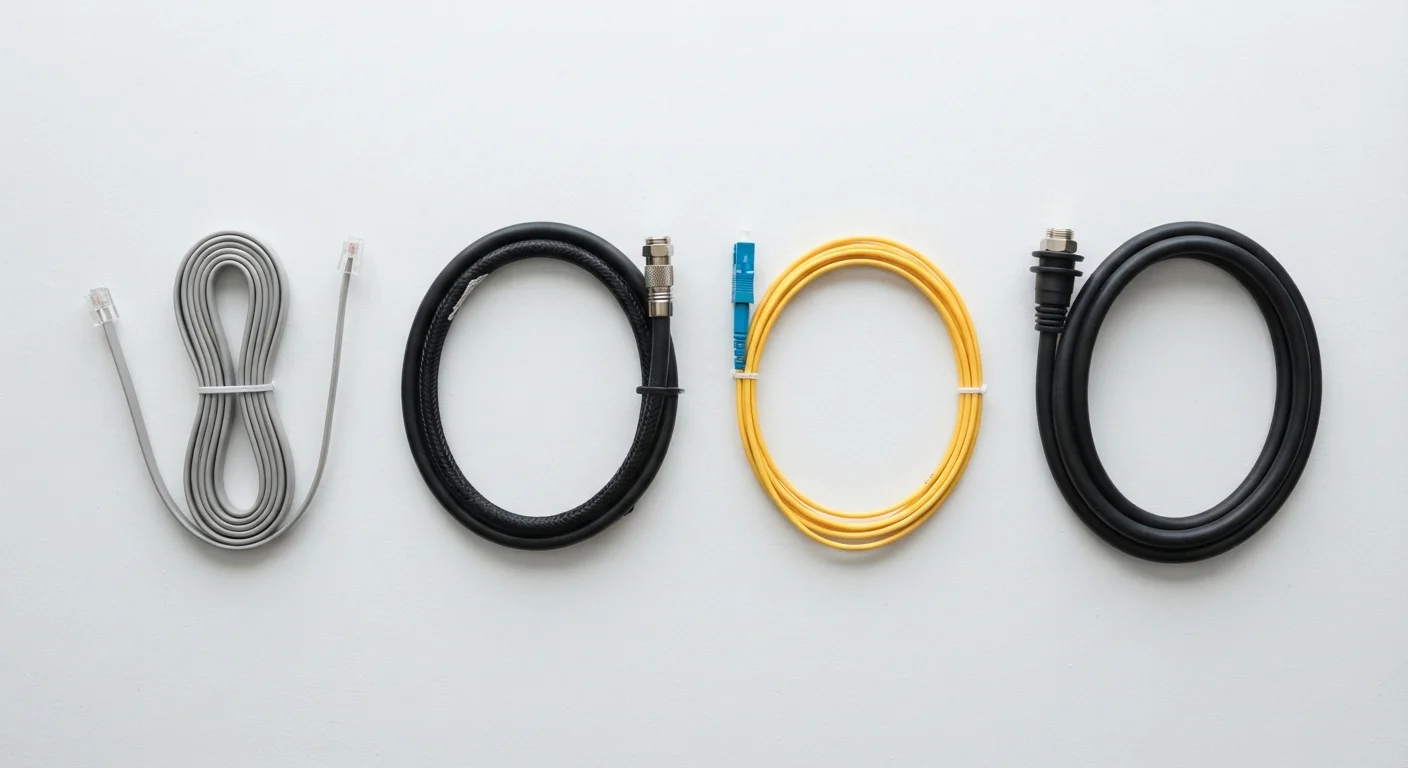
Key Takeaways
- DSL runs over traditional phone lines and is widely available but generally slower than cable or fiber.
- Cable internet uses coaxial lines originally built for TV, offering solid speeds but shared bandwidth with neighbors.
- Fiber transmits data as pulses of light and delivers the fastest, most consistent speeds - where infrastructure exists.
- Satellite reaches remote areas no wired service can, but latency and weather sensitivity remain meaningful trade-offs.
- Availability, not just speed, is the most important factor when deciding which connection type works for your home.
Our Verdict
No single internet technology is universally superior - each involves real trade-offs between speed, reliability, availability, and cost. Fiber offers the strongest technical performance for households where it's available, while cable provides a practical middle ground for most suburban and urban users. DSL remains a viable fallback in areas with limited options, and satellite fills a critical gap for rural and remote consumers who have no wired alternative.
| Best for | Recommended |
|---|---|
| Urban and suburban households with access to fiber infrastructure | Fiber |
| Most city and suburban users who need reliable everyday speeds | Cable |
| Users in areas where only phone-line infrastructure exists | DSL |
| Rural and remote households with no wired broadband access | Satellite |
How Each Technology Actually Works
Understanding why these four internet types differ starts with how they physically move data to your home. The technology underneath each connection shapes everything from maximum speed to real-world reliability.
DSL (Digital Subscriber Line) transmits digital data over the copper telephone wires already installed in most homes. Because those wires were designed for voice calls, not broadband, speeds are constrained - and the farther your home is from the phone company's local equipment, the slower the connection gets.
Cable internet travels over coaxial cable, the same infrastructure that carries cable TV signals. Coaxial wire has far more capacity than copper phone lines, which is why cable typically offers significantly higher speeds than DSL. However, coaxial lines in a neighborhood are shared among subscribers, so congestion during peak hours can reduce real-world performance.
Fiber-optic internet encodes data as pulses of light sent through thin glass or plastic strands. Light travels faster and degrades less over distance than electrical signals in copper wire, giving fiber both higher speed ceilings and greater consistency. Fiber is the only mainstream technology that routinely offers symmetrical upload and download speeds.
Satellite internet beams signals between a dish at your home and orbiting satellites. Traditional geostationary satellites sit roughly 22,000 miles above Earth, producing high latency (signal delay). Newer low-Earth-orbit (LEO) satellite systems orbit much closer - a few hundred miles up - reducing that latency substantially, though weather and line-of-sight obstructions still affect performance.
For a deeper look at how speed metrics like Mbps and latency translate to everyday use, see our plain-English speed guide.
Speed, Latency, and Reliability Compared
Raw numbers can be misleading if you don't understand the context behind them. Here's how each technology generally stacks up across the metrics that matter most to everyday users.
| DSL | Cable | Fiber | Satellite | |
|---|---|---|---|---|
| Typical download speeds | 1-100 Mbps | 25-1,000+ Mbps | 100 Mbps-5+ Gbps | 25-220 Mbps (LEO) |
| Typical upload speeds | 1-10 Mbps | 5-50 Mbps | Equal to download | 5-20 Mbps |
| Typical latency | 20-80 ms | 10-40 ms | 5-20 ms | 20-60 ms (LEO); 600+ ms (geo) |
| Peak-hour congestion risk | Low to moderate | Moderate to high | Low | Moderate |
| Rural availability | Broad | Limited | Limited | Very broad |
| Data caps common? | Sometimes | Often | Rarely | Yes, frequently |
| Weather sensitivity | None | None | None | Yes |
A few important caveats: advertised speeds reflect theoretical maximums, not guaranteed real-world performance. Cable speeds in particular vary based on how many neighbors are using the network simultaneously. Satellite latency on LEO systems has improved dramatically compared to older geostationary services, but it still tends to run higher than wired connections. For a deeper look at how fiber and cable compare head-to-head on day-to-day performance, see Fiber vs. Cable Internet: Which One Actually Delivers on Its Promises.
Where Each Technology Is Available
Availability is the factor that often overrides every other consideration. The fastest fiber plan in the world is irrelevant if your address isn't served by fiber infrastructure.
Fiber deployment has accelerated in recent years - driven partly by federal funding programs aimed at closing the digital divide - but it remains concentrated in cities and newer suburban developments. Rural areas are frequently the last to receive fiber upgrades, if they receive them at all.
Cable coverage is extensive across most suburban and many urban markets, reflecting decades of coaxial infrastructure buildout by cable TV operators. However, rural coverage is patchier, and some smaller communities have only one - or zero - cable providers.
DSL's advantage is reach. Because telephone lines extend to nearly every address in the country, DSL is often available where no other wired broadband option exists. That said, the FCC's definition of broadband (25 Mbps download / 3 Mbps upload) excludes many DSL connections, which can fall short of those thresholds especially in distant rural locations.
Satellite is the technology of last resort - and for good reason. It is the only option that can serve truly remote addresses regardless of terrain or distance from population centers. LEO satellite services have expanded rural access meaningfully, though installation costs and monthly data caps can be limiting factors.
Check Coverage at Your Specific Address
ISP coverage maps are notoriously imprecise - a block or two can make a real difference in what's available. Before committing to any plan, enter your exact address on each provider's site and, where possible, cross-check with the FCC's National Broadband Map. Neighbors' direct experience is also a reliable indicator of real-world performance in your area.
If you're new to setting up broadband, our first-time subscriber guide walks through how to evaluate your options from the ground up.
Trade-Offs Worth Weighing Before You Decide
Each connection type involves compromises that advertising rarely highlights. A few practical considerations:
- Symmetrical vs. asymmetrical speeds: Most DSL, cable, and satellite plans offer much faster download speeds than upload speeds. Fiber typically offers equal speeds in both directions - an advantage for video calls, cloud backups, and remote work.
- Latency sensitivity: Online gaming, video conferencing, and real-time applications are more affected by latency than by raw download speed. Satellite - particularly geostationary - introduces enough delay to noticeably impact these activities. Wired connections generally perform better here.
- Data caps: Some cable, DSL, and satellite plans impose monthly data limits. Exceeding them may trigger overage fees or speed throttling. Fiber plans are more likely to be unlimited, though policies vary by provider.
- Infrastructure age: DSL and older cable networks may be maintained less aggressively as providers shift investment toward fiber. This can affect long-term reliability in some areas.
- Weather resilience: Wired connections are unaffected by weather at the household level. Satellite signals can degrade during heavy rain or snow, and dish alignment matters.
It's also worth questioning assumptions about what you need. Common myths about home internet explains why bigger numbers don't always mean a better experience - and why your household's actual usage pattern matters more than headline speeds.
Unfamiliar with terms like coaxial, DOCSIS, or latency? Our broadband glossary defines the jargon you'll encounter while shopping for service.