

Key Takeaways
- The type of internet connection available to you depends largely on where you live, not personal preference.
- Most households need far less speed than ISP marketing suggests - matching your plan to actual usage saves money.
- Renting a modem or router from your ISP adds ongoing monthly costs that often exceed buying your own equipment.
- Promotional pricing, data caps, and early termination fees are the most common contract surprises for new subscribers.
- Running a speed test and repositioning your router can resolve many slow-connection complaints without upgrading your plan.
Start here
Understanding Your Connection Options
Next
How Much Speed Do You Actually Need?
Then
Modems, Routers, and Equipment Fees
Before you sign
Reading Your ISP Contract Before You Sign
When you're ready
Getting the Most from Your New Service
Understanding Your Connection Options
Before you can choose a plan, you need to know what types of internet service are physically available at your address. The four main technologies - DSL, cable, fiber, and satellite - each deliver data differently and come with distinct trade-offs in speed, reliability, and cost.
DSL (Digital Subscriber Line) uses existing telephone wiring. It's widely available in suburban and some rural areas, but speeds are generally lower than cable or fiber. Cable internet runs over the same coaxial lines used for cable TV and is common in urban and suburban neighborhoods - it offers solid speeds but can slow during peak hours when many neighbors are online simultaneously. Fiber-optic service transmits data as pulses of light and typically delivers the fastest and most consistent speeds, but its availability is still expanding. Satellite internet reaches remote areas where other options don't exist, though it tends to have higher latency and is more sensitive to weather.
For a thorough side-by-side comparison of how each technology works, see our plain-language breakdown of internet connection types. Availability varies block by block, so always confirm which providers serve your specific address - not just your city - before comparing plans.
Mbps
Megabits per second - the standard unit for measuring internet speed. Higher Mbps means data travels faster between your home and the internet.
Bandwidth
The maximum amount of data your connection can handle at once. Think of it as the width of a highway - more lanes mean more traffic can flow simultaneously.
Latency
The time it takes for data to travel from your device to a server and back, measured in milliseconds. Low latency matters most for video calls and online gaming.
Data cap
A monthly limit on how much data you can use. Exceeding it may result in extra charges or reduced speeds until your billing cycle resets.
Modem
The device that connects your home to your internet service provider's network. It translates the signal from the ISP into something your home devices can use.
Router
The device that takes the internet connection from your modem and distributes it wirelessly (Wi-Fi) or through ethernet cables to devices throughout your home.
ISP
Internet Service Provider - the company that sells you your home broadband connection, such as a regional cable company or a fiber provider.
Throttling
When an ISP intentionally slows your internet speed, often after you exceed a data cap or during periods of high network congestion.
How Much Speed Do You Actually Need?
ISP marketing often pushes the highest speed tiers, but most households use far less capacity than those plans provide. Internet speed is measured in Mbps (megabits per second) - higher numbers mean faster data transfer, but faster isn't always necessary.
As a general reference: standard-definition video streaming uses roughly 3-5 Mbps per stream, HD video uses around 5-15 Mbps, and 4K video can use 25 Mbps or more. Video conferencing for a single person typically needs 1-4 Mbps upload speed. Add up the simultaneous activities your household realistically runs at the same time - that total gives you a meaningful baseline for your speed needs.
Upload speed matters more than it once did. Remote work, video calls, cloud backups, and sharing large files all depend on solid upload performance. Many cable plans offer much lower upload speeds than download speeds, which is worth knowing before you commit.
Match Your Plan to Peak Household Usage
Rather than estimating averages, think about your household's busiest moment - say, an evening when two people are streaming different shows and one is on a video call. That simultaneous peak is the real demand your plan needs to handle. Building in a modest buffer above that figure gives you headroom without over-buying speed you'll rarely use.
If your connection ever feels sluggish after you've signed up, the problem often isn't your speed tier. Our guide on why your internet feels slow even on a fast plan explains common culprits like router placement, device congestion, and outdated equipment.
Modems, Routers, and Equipment Fees
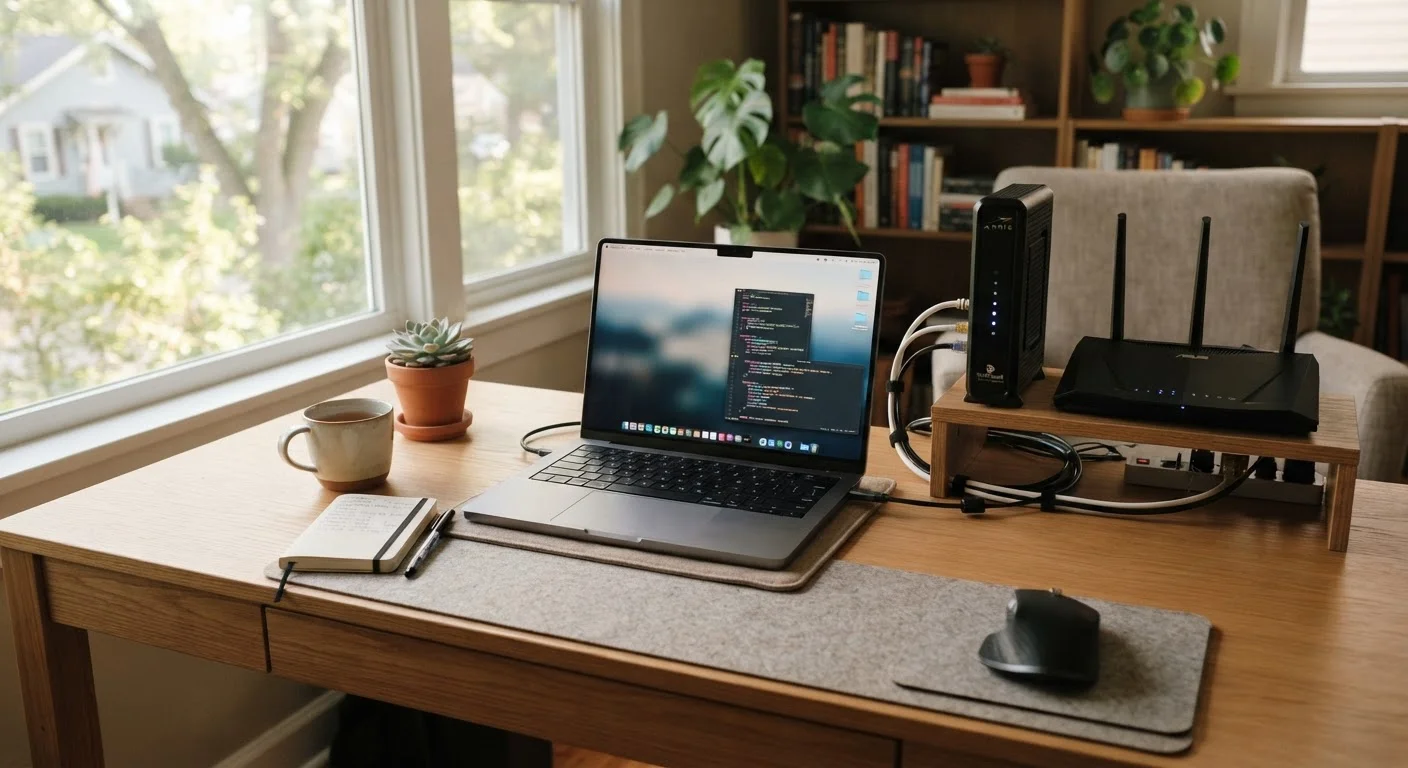
Two pieces of hardware are involved in almost every home broadband setup. A modem connects your home to your ISP's network. A router distributes that connection wirelessly and to wired devices throughout your home. Some ISPs provide a combined modem-router unit, often called a gateway.
ISPs typically offer to rent you this equipment for a monthly fee - commonly between $10 and $20 per month. Over one to two years, that rental cost often exceeds what compatible equipment costs to purchase outright. If you buy your own modem and router, confirm with the ISP that the specific models are approved for their network before ordering.
Router placement matters considerably for wireless performance. Position your router centrally, elevated off the floor, and away from walls, large appliances, and other electronics that can cause interference. Homes with multiple floors or thick walls may benefit from a mesh Wi-Fi system - a set of coordinated units placed around the home to extend coverage without dead zones.
If you're also setting up smart home devices, a capable router becomes even more important. Learn more about building a reliable home network in our Smart Home Tech hub.
Reading Your ISP Contract Before You Sign
The monthly rate shown in an ISP advertisement is rarely the full picture. New subscribers frequently encounter four categories of fine print that affect the real cost of service.
- Promotional pricing: Introductory rates typically last 12-24 months before increasing, sometimes substantially. Confirm the standard rate and when it kicks in.
- Data caps: Some plans cap monthly data usage. Exceeding the cap can trigger overage fees or speed throttling. Check whether your plan has one.
- Equipment fees: Beyond rental fees, some ISPs charge installation or activation fees. Ask about these upfront.
- Early termination fees (ETFs): If you sign a term contract and cancel early, an ETF may apply. Month-to-month plans avoid this but sometimes cost more.
For a detailed walkthrough of contract language, our article on reading broadband contract fine print covers each clause type in plain English. And if you ever want to switch providers later, our pre-switch checklist can help you avoid common missteps.
Verbal Promises Don't Appear in Contracts
Sales representatives sometimes mention perks - waived installation fees, locked-in pricing, or free equipment - that don't end up in your written agreement. Before signing or agreeing by phone, ask for any promised terms to be confirmed in writing or shown clearly in the subscriber agreement. What's not in the contract is difficult to enforce later.
Getting the Most from Your New Service
Once your service is active, a few practical steps help you confirm everything is working as advertised and set yourself up for a reliable experience.
Run a speed test from a device connected directly to your router via ethernet cable - this gives the most accurate reading of what your modem is actually receiving from the ISP, separate from any Wi-Fi variables. Compare the result to the speeds listed in your plan. Minor variation is normal, but consistent speeds far below what you're paying for are worth reporting to your ISP.
Keep a record of your account details, equipment serial numbers, and any written commitments made during signup. If a promotional rate or waived fee was promised, having documentation makes disputes easier to resolve. ISP customer service interactions can vary widely, so noting the date, time, and representative's name during important calls is a practical habit.
Finally, be aware that broadband myths are common and can lead to unnecessary upgrades or frustration. Our guide to common home internet myths addresses widespread misconceptions that many subscribers accept as fact. For any term you encounter that's unfamiliar, our broadband glossary defines key industry vocabulary in plain English.