

Key Takeaways
- Smart speakers handle voice commands well but offer no visual feedback or video features.
- Smart displays add a touchscreen for video calls, camera feeds, and step-by-step visual guides.
- Both device types connect to the same smart home ecosystems - the screen is the main differentiator.
- Smart displays typically cost more and take up more counter space than smart speakers.
- Placement matters: kitchens and living rooms often benefit most from a display's visual capabilities.
- Privacy considerations apply to both - smart displays with cameras add an extra layer to consider.
Option A
Smart Speaker
The voice-first, eyes-free smart home hub.
Best for: People who primarily want hands-free voice control for music, timers, and smart home commands without needing a screen.
Option B
Smart Display
The screen-equipped upgrade for visual interaction.
Best for: People who want video calling, visual recipes, security camera feeds, and richer smart home control in a single countertop device.
If you mainly want voice control for music, smart home devices, and quick questions
Smart Speaker
A smart speaker handles these tasks efficiently without the extra cost or footprint of a screen.
If you want to video call family, follow visual recipes, or monitor security cameras
Smart Display
The screen makes all of these tasks dramatically more practical and easier to use in real life.
If counter space and budget are your primary constraints
Smart Speaker
Smart speakers are more compact and generally available at lower price points than comparable smart displays.
If you're setting up a family kitchen hub for multiple users of different ages
Smart Display
A touchscreen interface lowers the learning curve for those less comfortable with voice-only interaction.
If privacy around always-on cameras is a significant concern
Smart Speaker
Smart speakers lack a built-in camera, reducing one category of data collection compared to most smart displays.
What Sets These Two Devices Apart
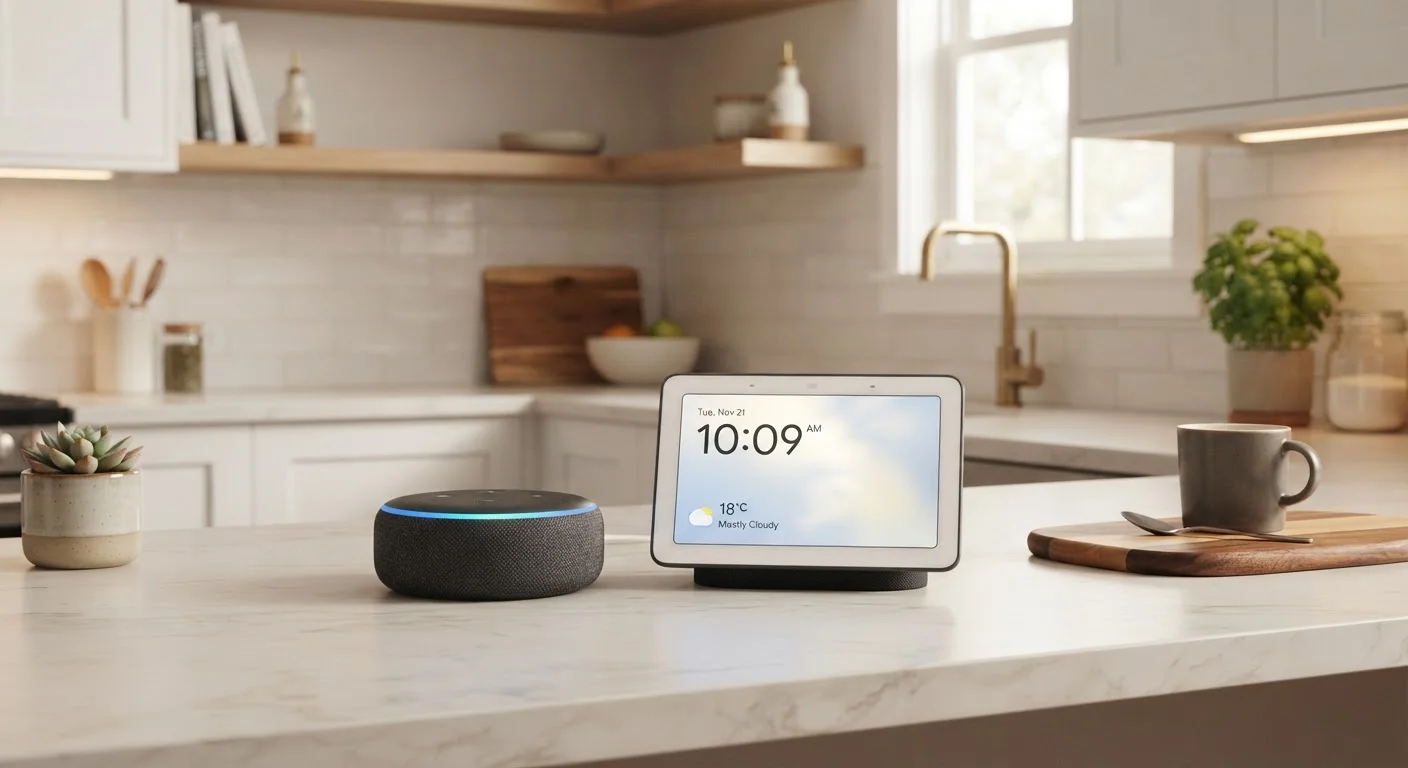
At their core, smart speakers and smart displays share the same DNA: a microphone array, a voice assistant, a Wi-Fi connection, and the ability to control compatible smart home devices. The fundamental difference is a screen - and that single addition changes how you interact with the device in ways that ripple across everyday use.
A smart speaker is a voice-in, audio-out device. You speak a command, you hear a response. There's no visual interface to navigate. That simplicity is genuinely useful - you can shout across a room without looking up from what you're doing.
A smart display pairs that same voice capability with a touchscreen. When you ask for a recipe, you can see it. When your doorbell rings, the camera feed appears. When you make a video call, the other person is visible. The display also shows ambient information - clocks, weather, calendar events - without you having to ask.
For a broader look at how both device types fit into a connected home, see our Smart Home 101 guide on how connected devices work together.
| Criterion | Smart Speaker | Smart Display |
|---|---|---|
| Screen | None | Touchscreen (varies in size) |
| Voice control | Full support | Full support |
| Video calling | Audio only | Video and audio |
| Security camera viewing | Not supported | Supported on-screen |
| Built-in camera | Typically none | Usually included |
| Footprint | Compact | Larger |
| Typical price range | Lower | Higher |
| Best room placement | Bedroom, office, bathroom | Kitchen, living room |
| Ambient display (clock, weather) | No | Yes |
Practical Strengths and Limitations of Each
Smart speakers excel at tasks that benefit from speed and audio feedback: streaming music, setting timers, answering trivia, adjusting lights, and locking doors. They're unobtrusive and can be placed in bedrooms or offices where a bright display would feel out of place. Their smaller footprint also makes them easier to tuck into tight spaces.
Smart displays trade some of that subtlety for genuine utility in common household situations. Following a recipe hands-free is far easier when you can glance at the screen between steps rather than ask the assistant to repeat instructions. Checking a security camera without unlocking your phone is a meaningful convenience. And for older adults or children who find voice-only interaction confusing, a touchscreen provides an accessible fallback.
That said, smart displays come with real tradeoffs. They're larger, draw more power, and almost always cost more. Many models include a front-facing camera for video calls - a useful feature, but one that introduces privacy considerations worth thinking through. If that topic concerns you, our piece on privacy and always-on smart home devices walks through what data these devices typically collect and what controls you have.
35%
U.S. households with a smart speaker
According to Pew Research Center survey data, roughly 35% of American adults reported owning a smart speaker as of the early 2020s.
2x
Average price premium for smart displays
Entry-level smart displays are generally priced at roughly double or more compared to entry-level smart speakers from the same manufacturer tiers.
#1
Kitchen as most common smart display placement
Industry surveys consistently identify the kitchen as the most popular placement for smart displays, where visual recipe and timer features see the most use.
Placement, Ecosystem, and Long-Term Fit
Where you plan to put the device often clarifies the decision faster than a feature-by-feature comparison. Kitchens and living rooms - where multiple people gather and visual information is genuinely helpful - tend to be better fits for a smart display. Bedrooms, bathrooms, home offices, and utility rooms where audio is sufficient are natural territory for smart speakers.
Ecosystem compatibility is largely a non-issue between the two form factors. Most major smart home platforms support both device types equally. Whether you're using Matter-certified devices, older Wi-Fi-based smart plugs, or Zigbee hubs, the voice assistant's compatibility list doesn't change because you added a screen. Before buying either, it's worth running through a compatibility check - our device compatibility checklist can help you verify that any new hub will work with what you already own.
One factor often overlooked: both device types depend on the cloud for the majority of their processing. That means a Wi-Fi outage or server disruption can silence either device. If reliability in offline conditions matters to you, it's worth understanding how local processing differs from cloud-dependent smart home devices before committing to either type as your primary hub.
Network Quality Affects Both Devices Equally
Smart speakers and smart displays both rely on a stable Wi-Fi connection to function at full capacity. If your home has coverage dead zones or a congested network from many connected devices, either hub may respond slowly or drop commands. Addressing your network foundation before adding a voice assistant hub will give you a more reliable experience. Our comparison of mesh Wi-Fi vs. traditional routers for smart homes covers how to choose the right network setup for a device-heavy home.